API and webhooks
Create a key under Settings → Agents. A key acts as you in one workspace. Webhooks are managed in the same place by owners and admins.
Authentication
Send the key as Authorization: Bearer rk_…. CORS is open, so the API also works from a browser extension or a small script.
List videos
GET /api/v1/videos returns the videos the key's owner can see in that workspace.
curl 'https://vertov.app/api/v1/videos' \
  -H 'Authorization: Bearer rk_your_key'

{ "videos": [{ "id": "k3J9x", "url": "https://vertov.app/k3J9x", "title": "Homepage walkthrough",
  "duration": 94, "status": "ready", "createdAt": "2026-11-01T10:12:00Z", "owner": "Priya", "snippet": "..." }] }
Upload a video
POST /api/v1/videos with the file as the request body. The response carries the share link; the video is playable as soon as it returns.
curl -X POST 'https://vertov.app/api/v1/videos?title=What%20I%20changed' \
  -H 'Authorization: Bearer rk_your_key' \
  -H 'Content-Type: video/webm' \
  --data-binary @recording.webm
Command line
vertov-cli uploads MP4, MOV or WebM files with the same key and prints one share link per file. It needs Node 18 or later.
npm install -g vertov-cli
vertov login rk_your_key
vertov upload demo.mp4 --title "What I changed"
vertov list
In a script or CI job, run it without installing. The share link is the only thing written to standard output.
# VERTOV_KEY comes from your CI secrets
URL=$(npx -y vertov-cli upload test-results/video.webm --title "Checkout test")
Files up to 100 MB each. EU accounts set VERTOV_URL=https://eu.vertov.app.
See what the upload link opens
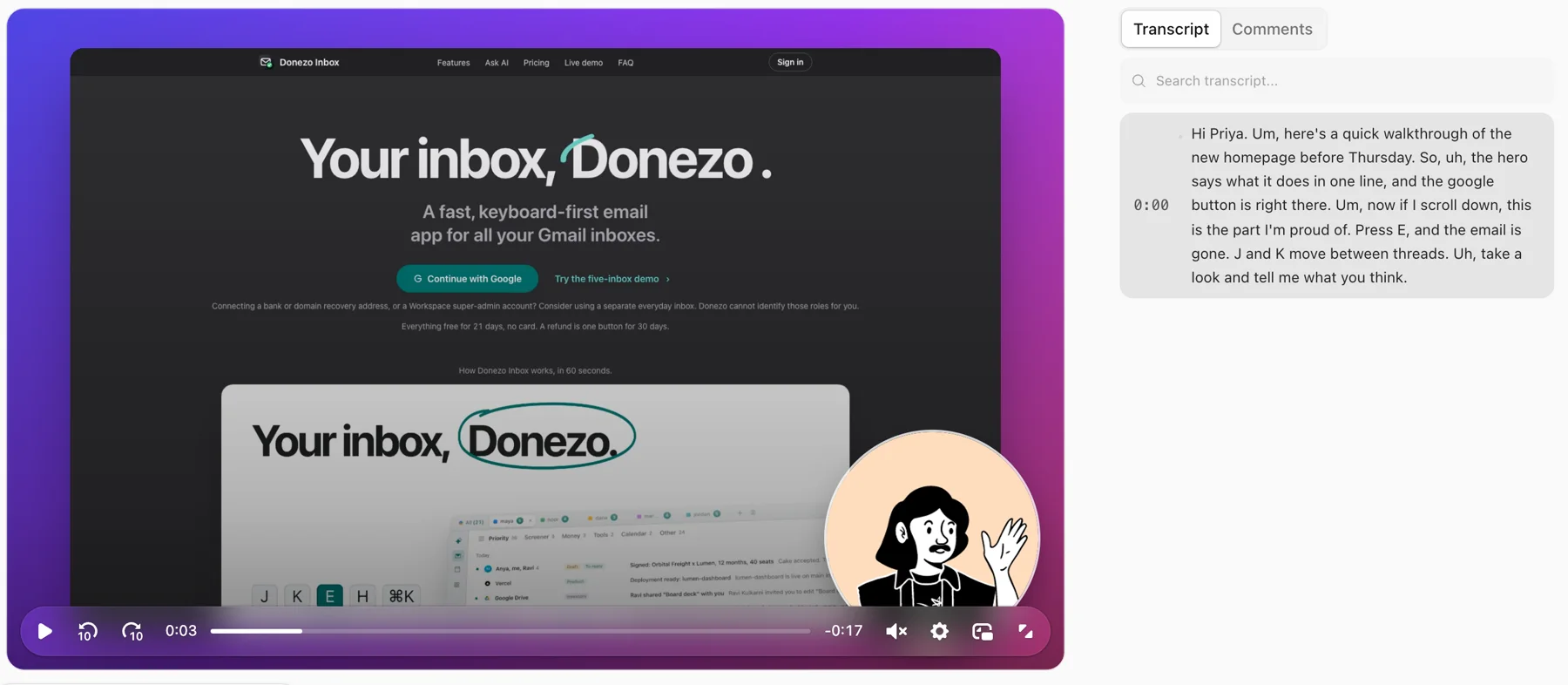
The API returns a recording URL. This example shows the viewer experience people get at that URL.
{
  "id": "example",
  "url": "https://vertov.app/example"
}
Webhooks
Each event is a POST with a JSON body. Respond with any 2xx within 8 seconds. Deliveries are sent once, with no automatic retries, so treat them as a fast signal and list the videos if you need to catch up. Endpoints must be public https addresses.
| Event | Sent when | data fields |
|---|---|---|
| video.ready | A recording, upload or import finished and is playable. | id, url, title, duration |
| video.viewed | Someone other than the owner opened a video (one per viewer per video). | id, url, title, country, referrer |
| comment.created | A signed-in viewer or a named guest commented. | id, videoId, url, author, text, timestamp |
POST https://your-server.example/hooks/vertov
webhook-id: msg_2f9c0a...
webhook-timestamp: 1793527920
webhook-signature: v1,K5oZfzN95Z9UVu1EsfQmfVNQhnkZ2/3+hk0qlyF3RcE=

{
  "type": "video.ready",
  "timestamp": "2026-11-01T10:12:00.000Z",
  "data": { "id": "k3J9x", "url": "https://vertov.app/k3J9x", "title": "Homepage walkthrough", "duration": 94 }
}
Verify the signature
Requests follow the Standard Webhooks scheme, so any of its libraries work with your whsec_… secret. The signature is the base64 HMAC-SHA256 of webhook-id.webhook-timestamp.body, keyed with the decoded secret. Check it against the raw body and reject old timestamps.
import { createHmac, timingSafeEqual } from "node:crypto"

// rawBody must be the exact request body string, before any JSON parsing.
export function verify(secret, headers, rawBody) {
  const id = headers["webhook-id"]
  const timestamp = headers["webhook-timestamp"]
  if (Math.abs(Date.now() / 1000 - Number(timestamp)) > 300) return false // replay window

  const key = Buffer.from(secret.replace("whsec_", ""), "base64")
  const expected = createHmac("sha256", key).update(`${id}.${timestamp}.${rawBody}`).digest("base64")

  return headers["webhook-signature"].split(" ").some((entry) => {
    const [version, signature] = entry.split(",")
    return version === "v1" && signature.length === expected.length && timingSafeEqual(Buffer.from(signature), Buffer.from(expected))
  })
}