Loom alternatives: nine tools compared by who they suit.
Loom's free plan stops at 25 videos per person and 5-minute screen recordings. Whether that is a reason to leave depends on what you record. This page compares Vertov, Tella, Cap, Screencastify, Zight, Vidyard, ScreenPal, OBS Studio and Microsoft Clipchamp, and says when staying on Loom is the right call.
How this was put together. Vertov is our product, so it comes first, and the section on it says where it falls short. Every fact about another product comes from that vendor's own pricing or product pages, checked on . We have not tested the other tools hands-on. Prices and limits change, so follow the source links before you buy.
What Loom offers today
Loom is owned by Atlassian. Its free Starter plan allows up to 25 videos per person, 5-minute screen recordings and 720p. Business and Business + AI are priced per user, and Enterprise is quoted by sales.
- Business, $18 per user per month billed monthly, removes the video and length limits, records up to 4K, and adds trim and stitch, password-protected videos and video upload and download.
- Business + AI, $24 per user per month billed monthly, adds edit by transcript, filler-word and silence removal, and auto summaries and chapters. Loom lists auto titles on every plan.
- Enterprise adds SSO and SCIM, and is quoted by sales.
- Loom has apps for Mac, Windows, iOS and Android, and integrates with Slack, Jira, Confluence, GitHub and Gmail.
Source: loom.com/pricing, checked 4 November 2026. Prices are Loom's monthly billing option at team sizes of 5 and 100. Annual billing is lower: Loom says it saves up to 17%, and its calculator showed $900 and $1,200 a year for 5 users, which is $15 and $20 per user per month.
Which one should you choose?
Vertov is not the best choice for every team. Start with what you actually do.
You are in Jira and Confluence, need SSO or want mobile apps
Stay on Loom. Loom lists recording entry points inside Jira and Confluence for plans bought through Atlassian.com, iOS and Android apps, and SSO and SCIM on its Enterprise plan.
You make product demos and customer videos
Tella. Editing, branding and hosted analytics are the product.
You want open source or to own the storage
Cap. Open source, local recording and your own S3 or Google Drive.
You teach or train in Google or an LMS
Screencastify. Questions, polls and LMS integrations.
You do support and want to request videos from customers
Zight. Video Requests, screenshots and GIFs in one tool.
You send video to prospects from a CRM
Vidyard. CRM integrations and engagement reporting.
You want a free recorder with an editor and hosting
ScreenPal. Free recording and hosting on every platform.
You want local control or to live stream
OBS Studio. Free, scene-based, no hosting.
You want transcript editing included and agents to use your videos
Vertov. Editing by transcript, an API and MCP server, and viewers who need no account. A newer product.
Comparison table
Free plans and entry prices as published by each vendor on . "Not stated" means the vendor's pricing and product pages we read do not mention it.
| Tool | Best for | Free plan | Paid plans | Loom import |
|---|---|---|---|---|
| Loom (reference) | Quick updates, Atlassian teams, mobile | 25 videos per person, 5 minutes each, 720p | Business $18, Business + AI $24 per user per month billed monthly; Enterprise quoted | Not applicable |
| Vertov | Teams that want transcript editing, an API and MCP server for agents, and viewers who need no account | Free plan: 5 hours of video per workspace | By hours stored per workspace, not per user: Pro $9, Team $29, Business $99 a month | Yes: public Loom links by pasting them, private Looms with the Chrome extension |
| Tella | Polished product demos and customer-facing videos | No free plan; 7-day free trial | Pro $13 per user per month billed annually; Premium $19 | Yes: the free Tella Transfer app exports your Loom library, including private videos and folders |
| Cap | Open-source, local-first recording and storing videos in your own bucket | Free for personal use; shareable links up to 5 minutes | Desktop License $29 per year; Cap Pro $12 per user per month ($8.16 billed annually) | Yes, on Cap Pro: from a single share link or a CSV of a library |
| Screencastify | Schools and training teams that record in Chrome | Free: 10 videos, up to 30 minutes each | Starter $7 per user per month billed annually ($19 monthly); Pro $10 annually ($25 monthly) | Not stated |
| Zight | Screenshots, GIFs and collecting recordings from customers | Share plan: recordings up to 5 minutes at up to 720p, 1 GB of storage | Create $9.95 per user per month billed annually; Collaborate $12 | Not stated |
| Vidyard | Sales and marketing teams sending video to prospects | Free plan: 5 videos a month, up to 30 minutes each | Starter is bought by card; Teams and Enterprise are quoted by sales | Not stated |
| ScreenPal | Free recording, editing and hosting for education and training | Free recorder with no sign-up or watermark; unlimited hosted recordings | Paid plans add unlimited recording time, captions and team features; price not verified here | Not stated |
| OBS Studio | Local, high-control recording and live streaming | Free and open source | None | Not applicable |
| Microsoft Clipchamp | Editing a recording inside Microsoft's ecosystem | Free editor with a screen, camera and voice recorder; 1080p exports without watermark | 4K export and premium assets come with Microsoft 365 Personal or Family | Not applicable |
Each tool in detail
Vertov
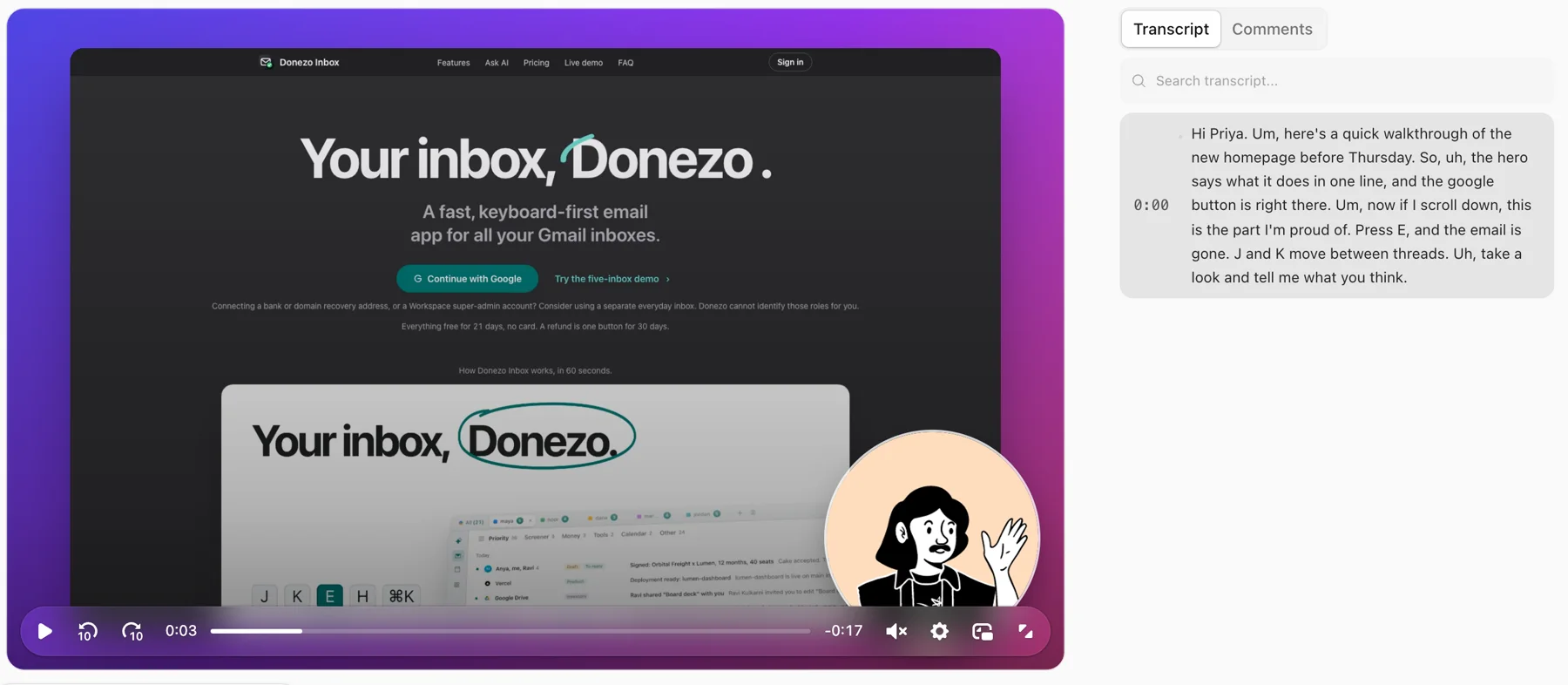
Vertov records a tab, window or screen with your camera, uploads while you talk, and gives you a share link with a transcript. It is a newer product.
Strengths
- Edit by deleting words from the transcript, and clear filler words and pauses in one click.
- Anyone with the link can watch, react and comment with just a name. Passwords, expiry dates and members-only visibility are available.
- Timestamped comments, and per-viewer watch progress.
- An API and an MCP server, so an AI agent can upload a recording, read any video as a transcript, and comment.
- Annotations, styled captions, layout and background changes after recording, and MP4 download with those applied.
- Imports your Looms, so links already shared can keep working for teammates who have the extension.
Limits
- No native desktop or mobile apps. You record from the web recorder or the Chrome extension.
- The Chrome extension is on the Chrome Web Store.
- It is not a sales-engagement platform: no CRM sync and no personalised video at scale.
Pick Vertov if you want editing and transcripts included, a way for agents to use your videos, or a Loom-style tool where viewers never need to sign up.
Tella
Tella is a paid recorder and editor aimed at videos that need to look finished before they go out.
Strengths
- Records up to 4K, with clips up to 6 hours per its pricing page, and transcripts in 106 languages.
- Editing includes transcript editing, silence and filler-word removal, layouts and zoom effects.
- Hosted share pages with comments, reactions, call-to-action buttons and viewer analytics.
- Native macOS and Windows recorders, plus a web recorder and Chrome extension.
Limits
- No permanent free plan.
- Priced per user. Removing Tella branding and adding a custom domain need Premium.
- AI editing through the Tella Agent draws on monthly credits: 4,500 per user on Pro and 9,000 on Premium, and they do not roll over.
Pick Tella if the video is the product demo or a customer-facing piece and you will pay per user for the editing.
Sources, checked 3 November 2026: tella.com/pricing, Tella's Loom alternative page
Cap
Cap is an open-source screen recorder for Mac and Windows with an optional cloud for sharing.
Strengths
- Studio Mode records screen and camera separately for editing, up to 4K at 60fps.
- Cap Pro adds unlimited cloud sharing, a custom domain, password-protected shares and your own S3 bucket or Google Drive.
- Cap states you can self-host it to keep all features on your own infrastructure.
Limits
- The free plan is for personal use only. Commercial use needs a paid licence.
- Free shareable links stop at 5 minutes.
- Transcription, AI titles and summaries, and viewer analytics are Cap Pro features.
- Recording is through Mac and Windows desktop apps.
Pick Cap if open source, local recording or owning the storage matters more than a polished hosted workflow.
Sources, checked 3 November 2026: cap.so/pricing, Cap's Loom alternative page
Screencastify
Screencastify runs in the browser and is built heavily around education, with questions, polls and LMS integrations.
Strengths
- Runs directly in the browser with no download.
- Questions and polls in videos, plus Request and Collect for videos from others.
- Integrations listed include Google Classroom, Canvas and Schoology, and the site cites FERPA and COPPA compliance for K-12.
- Pro raises recording length to 180 minutes and quality to 4K, and adds captions, transcripts and translations.
Limits
- The free plan stops at 10 videos and 30-minute recordings.
- Members are capped at 5 on Free, Starter and Pro; unlimited members need Enterprise.
- AI editing and captions sit on Pro.
Pick Screencastify if you teach or train in a Google or LMS environment and want questions and polls inside the video.
Sources, checked 3 November 2026: screencastify.com/pricing
Zight
Zight covers screenshots, GIFs and video, and has a Video Requests feature for getting a recording back from someone.
Strengths
- Video Requests: send a link and the other person records without an account or install.
- Screenshot capture with annotation, scrolling capture and 15 to 60 second GIFs.
- Desktop apps for Windows and Mac, an iOS app and a Chrome extension.
- Paid plans list Slack, Microsoft Teams and Gmail integrations, and MCP.
Limits
- Free recordings stop at 5 minutes and 720p, with transcription and annotations on paid plans.
- Password protection, custom domain and branding, and advanced analytics need Collaborate.
- Create includes 5 AI actions a month.
Pick Zight if you do support or customer work where screenshots, GIFs and requesting a video from the customer matter as much as recording your own.
Sources, checked 3 November 2026: zight.com/pricing
Vidyard
Vidyard positions itself as video messaging for revenue teams, with CRM integrations and AI-generated avatar videos.
Strengths
- CRM and marketing-automation integrations, including Salesforce, HubSpot and Marketo, on higher plans.
- Team performance analytics, branded sharing pages and call-to-action templates.
- A Video Agent add-on for automatically creating personalised AI videos.
Limits
- Built around revenue teams, not general internal messaging.
- Teams and Enterprise are priced by quote.
- The pricing page lists video captions under Teams, not Starter.
Pick Vidyard if the goal is sales outreach with CRM integration and engagement reporting, not internal updates.
Sources, checked 3 November 2026: vidyard.com/pricing
ScreenPal
ScreenPal is a recorder and editor with apps for Windows, Mac, iOS, Android and Chromebook.
Strengths
- The free recorder captures screen and webcam, with drawing tools and background blur or replacement, and shares by link.
- A built-in video editor with trimming and cutting, music and stock sound effects.
- Free hosting for recordings, with folders, passwords and scheduled publish and expiry.
- A Chrome extension for video messages.
Limits
- Unlimited recording time is listed as a paid upgrade, so free recordings have a cap that the page does not state.
- System audio, speech-to-text captions and team collaboration are paid features.
- The desktop app is not supported on Linux.
Pick ScreenPal if you need a free recorder with an editor and hosting that works on every platform, and mainly make training or lesson videos.
Sources, checked 3 November 2026: screenpal.com/screen-recorder
OBS Studio
OBS Studio is a free recording and live-streaming application for Windows, macOS and Linux, built around scenes and sources.
Strengths
- Free, open source and runs on Windows 10 and 11, macOS 13 or newer, and Linux.
- Mixes multiple sources into scenes, with an audio mixer, filters, hotkeys and a plugin API.
- Records locally with no length limit set by a vendor plan.
Limits
- OBS's site describes recording and streaming only. It does not describe a hosted share page, comments or viewer analytics, so you upload and host the file elsewhere.
- A production tool: scenes, sources and encoder settings, rather than a one-click recorder for a two-minute message.
Pick OBS Studio if you want full control over a local recording or a live stream and are happy to host and share the file yourself.
Sources, checked 3 November 2026: obsproject.com
Microsoft Clipchamp
Clipchamp is Microsoft's video editor. It includes a screen, camera and voice recorder and backs content up to OneDrive.
Strengths
- Free exports up to 1080p with no watermark.
- AI editing tools on the free plan include subtitles, voiceovers and silence removal.
- Included in some Microsoft 365 business and education licences.
Limits
- It is an editor with a recorder. Its pricing page does not list hosted share pages, comments or viewer analytics.
- 4K export and the brand kit need a Microsoft 365 Personal or Family plan.
Pick Microsoft Clipchamp if you already live in Microsoft 365 and want a free editor that can also record the screen.
Sources, checked 3 November 2026: clipchamp.com pricing
How to switch from Loom
- List what you share most: the Looms linked from docs, wikis and tickets matter more than the rest.
- Check your Loom plan. Loom lists video download on Business and above, so confirm you can get your files out before you cancel.
- Pick a tool and use its importer if it has one. Tella has a free transfer app, Cap Pro has a Loom importer, and Vertov imports public Loom links you paste in, plus private Looms with its Chrome extension. Import your Looms into Vertov.
- Replace the links and embeds you rely on, and keep Loom running until the replacements are in place.
- Move the people who record first, then the ones who only watch.
Already decided it is between Vertov and Loom? Read Vertov vs Loom. If you mostly need to send short async updates, see video messages for teams. For tutorials and bug reports, see the screen recorder, and for agents, the API and MCP docs.
Questions
- What is the best free alternative to Loom?
- It depends on what you record. ScreenPal has a free recorder with no sign-up or watermark and free hosting. Cap is free for personal use but its shareable links stop at 5 minutes. Screencastify's free plan allows 10 videos of up to 30 minutes. Zight's free plan stops at 5-minute recordings. OBS Studio and Microsoft Clipchamp are free but do not host and share a video for you. Vertov has a Free plan with 5 hours of library video.
- Is there a free version of Loom?
- Yes. Loom's Starter plan is free for up to 50 members, with up to 25 videos per person, 5-minute screen recordings and 720p. Business and Business + AI are paid per user.
- Is there a Microsoft equivalent to Loom?
- Microsoft Clipchamp is the closest Microsoft product. It has a screen, camera and voice recorder and a video editor, and exports 1080p for free. Its pricing page does not list hosted share pages, comments or viewer analytics, so it covers recording and editing rather than the whole async video-message workflow.
- Which is better, Loom or Screencastify?
- Screencastify runs in the browser and is built around education: questions, polls and LMS integrations, with a free plan of 10 videos. Loom has desktop and mobile apps and Atlassian integrations. Choose Screencastify for classrooms and training, Loom if you work in Atlassian tools or need mobile recording.
- Which is better, Loom or OBS?
- They do different jobs. OBS Studio is a free recording and live-streaming tool with scenes and sources. Loom records and then hosts the video behind a share link with comments and viewer insights. Use OBS for local control or streaming, and a Loom-style tool when you need to send a link.
- Can I move my existing Loom videos to another tool?
- Three tools here say they can. Tella offers a free desktop app, Tella Transfer, that exports a whole Loom library including private videos. Cap Pro has a Loom importer for single links or a CSV. Vertov imports public Loom links by pasting them, and private Looms with its Chrome extension. Loom lists video download on its Business plan and above, so check your own plan before you cancel.
Loom is a trademark of Atlassian. All other product names belong to their owners. Vertov is not affiliated with any of them.