Skip to content
← Made for your kind of work

Vertov for independent creators

Keep the idea. Cut the rough take.

Get the tutorial or product demo out of your head. Cut the false starts by editing the transcript, add captions, and share the link or export an MP4.

Free plan · Starts in your browser

One take. A much cleaner tutorial.Interactive example
A little less editing.A little more
creating.
Start with your idea.
Screen + camera → transcript → finished MP4
Example screenScreen + camera
Edit by textTry it

Click any word to cut it from the take.

Your first take doesn’t have to be your final take.

Record. Refine. Send.Cut the false starts. Keep the original.

An interactive preview of transcript editing. Try it on your own recording when you’re ready.

Made for this part of your day

01

Get the first take down.

Capture your screen and camera from the browser. There’s no five-minute cutoff on a recording, so finish the thought at your own pace.

Choose what to showExample
Browser tabWindowEntire screen
A walkthrough of the work.Show the
whole picture.
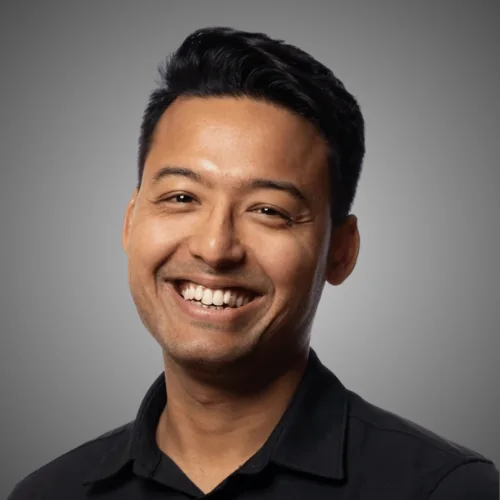
Ankur in the example recording
Here’s what I had in mind.
Your work, in context
Talking pointsOne quick walkthrough.
Your screen + optional cameraYour voice
02

Clean it up by reading it.

Cut words and sentences in the transcript, remove filler words and pauses, and trim the ends. Your original recording stays available.

Keep the thought. Cut the false starts.Example
Um, here’s the idea. Uh, let me show you.
the ideathe walkthroughthe good take
Words cut from the text. Cuts applied to the video.
03

Make it yours, then take it with you.

Change the layout and background, add arrows and styled captions, then export an MP4 with your edits applied. Recording and editing are included on every plan.

Your recording, your layoutExample
A walkthrough of the work.Show the
whole picture.
Ankur in the example recording
Here’s what I had in mind.
Bubble · Captions · MP4
Try a layoutCaptions included
Example layouts. Change the frame after the take.

Room for the work. Room for everyone.

Your library grows.
Your seat bill doesn’t.

Team workspace$29/ month
200 hours stored
No seat charge
Add a teammate. The workspace price stays the same.

Priced per workspace. Pick a plan in Settings after you sign in. Only workspace owners and admins can change a plan; the Free plan needs no card.

Free

$0/ month

5 hours stored

Every recording and editing feature, no plan limit on video length.

Start free

Pro

$9/ month

50 hours stored

AI titles, summaries and chapters, and room for a real library.

Choose Pro

Business

$99/ month

1,000 hours stored

A thousand hours for larger teams.

Choose Business

All plans include editing, captions, downloads and free members.

More room: 50 hours for $5/month. Annual billing is 10 monthly payments for 12 months.

Storage is measured by duration, or file size at 2 GB per hour when that is greater. On the Free plan, unwatched videos may be removed after advance email warnings. Read the details ↓

The practical things

Before you
hit record.

Do I need to install the extension?
No. Start a screen recording in your browser. The optional extension adds a toolbar shortcut, drawing tools, click capture and live viewing. Install it from the Chrome Web Store. The web recorder works without it.
Can I download my finished video?
Yes. Download the original or export an MP4 with the layout, captions and annotations applied. Downloads and editing are included on the free plan.
Is there a recording time limit?
No plan limits how long a video can be; one recording can run up to six hours. Plans limit total library storage, with 5 hours on the free plan.

A few good reasons to hit record

Same recorder.
Your kind of work.

For the team

Keep the project moving.

Client walkthroughs, clear feedback, fewer calls. One workspace price, however many people join.

See this workflow
Homepage walkthroughExample
A walkthrough of the work.Show the
whole picture.
Ankur in the example recording
Here’s what I had in mind.
Feedback, in the right place
C
Client 00:12

Could we give this headline a little more room?

Share controlsPasswordExpiryMembers only
Choose a timestamp. See the feedback in context.

Less explaining. More getting somewhere.

Make the take worth sharing.

Record your first take

In your browser. No card. No install to get started.

Commands and recent recordings
Actions
Go to
↑ ↓ Select↵ OpenEsc Close