How to record a bug someone else can reproduce
Start your recording on the last screen that works. Show the tap or keystroke that triggers the bug, then stay on the result long enough to see what changed. In the ticket, write the steps, what you expected, and the timestamp where the problem appears.
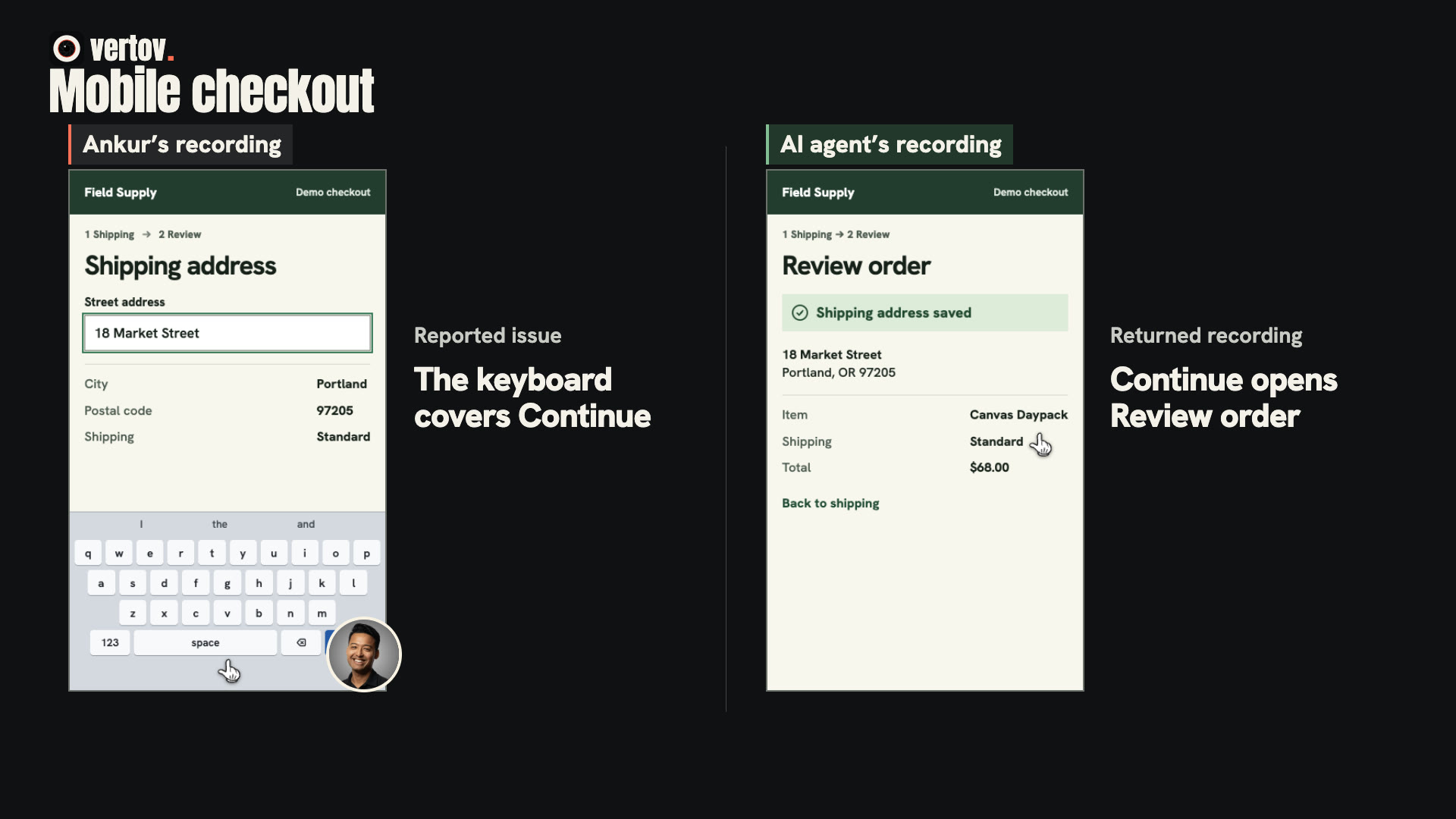
Start one step before the failure
In our mobile checkout demo, the shipping form looks fine until you tap the address field. Record from that form so the viewer can see the button before the keyboard opens and see where it goes afterward. Leave the result on screen for a beat.
Use a test account and sample data. Close unrelated tabs and turn off notifications before you start. If a real name or address slips into the take, remove it before sharing. For a bug that comes and goes, write down how often you saw it and any conditions you noticed.
Put the steps in the ticket
A teammate should be able to try the steps with the video paused. Write the page, device or browser, and any setup they need. Keep the expected and observed results separate. Copy exact error text into the ticket when there is any.
Here’s a ticket for the demo. The time points into the uncut demo clip, and you’d replace it with the time in the clip you attach.
Example ticket
- Title
- Mobile checkout: the keyboard covers Continue
- Setup
- Mobile checkout demo, on the Shipping address screen
- Steps
- Open Shipping address, tap the address field, and enter a sample address.
- Expected
- Continue stays reachable with the keyboard open.
- Observed
- At 0:03 in the demo, the keyboard covers Continue.
Use the same steps to check the fix
Open the same form, tap the same field, and check whether Continue takes you to Review order while the keyboard is still open. If you’re reviewing someone else’s fix, ask for a recording from the same starting point so you can compare what happens after the tap.
What the research says about video bug reports
Vertov’s 2026 evidence map counted 19 studies in its bug-reporting group. The studies that measured how long issues took to resolve found mixed results. The map found no controlled comparison of a recording and a written report for the same bug, so it doesn’t tell us that attaching a video will get it fixed faster.
Use the clip to show the part that moves. The written steps give whoever takes the ticket a way to replay it.